

The Social Share Campaigns API allows you to validate and register customer participation in Social Share Campaigns configured in the Antavo Management UI.
Implementation Steps
Place the Share Button
Place a dedicated share button on your site or app for each platform you want to support. When clicked, the button should open the platform’s native share pop-up so the user can actually share the content.
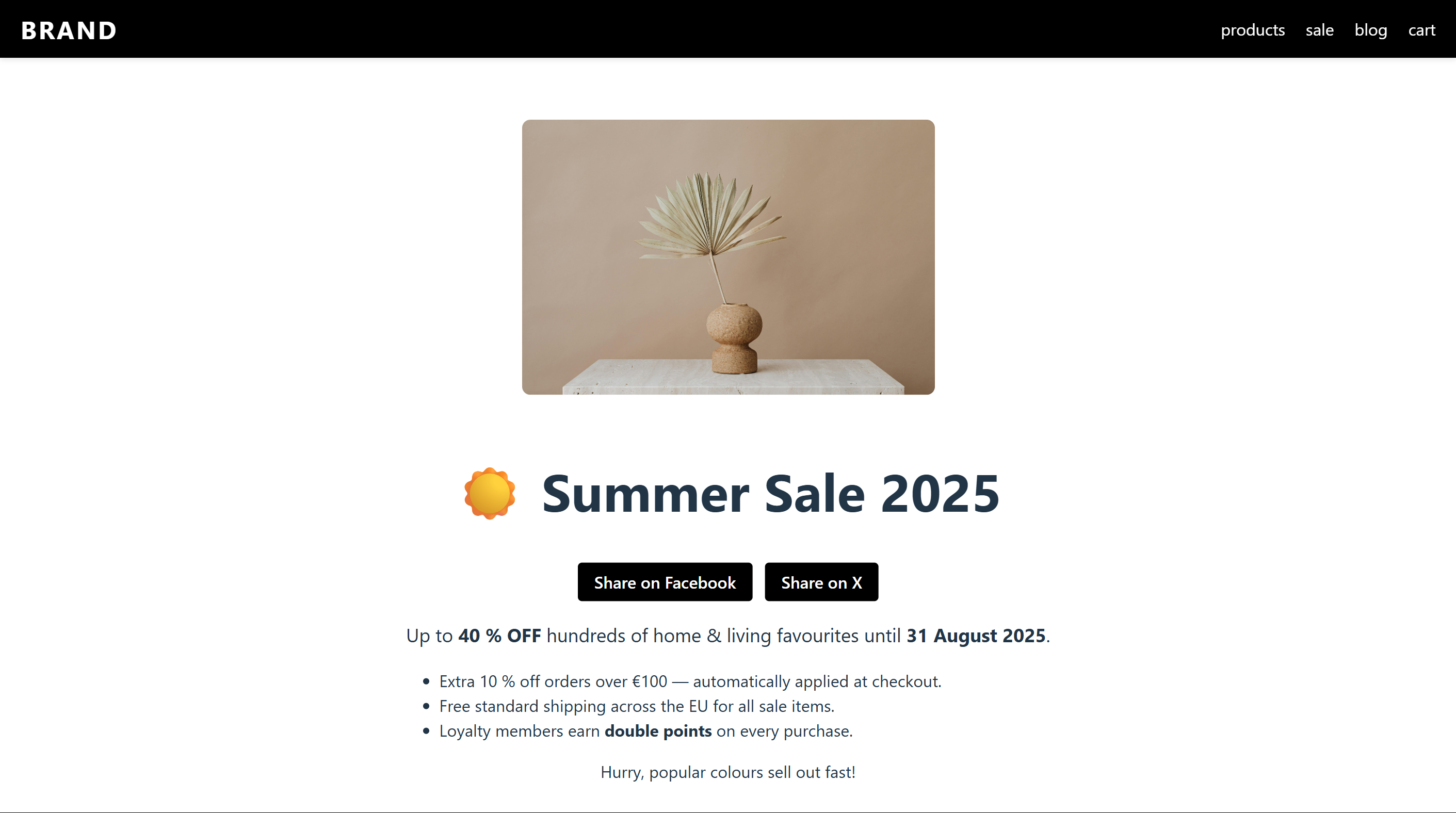
Example of social share buttons implemented into a product page.
Capture the Click Action and Submit a Share Intent API Request
When the user clicks:
- Open the native share dialog (e.g., https://www.facebook.com/sharer/sharer.php?u=<URL).
- At the same time, send a
POSTrequest to thev1/social-share-campaigns/share_intentendpoint of the Social Share Campaigns API.
We recommend you not call this enpoint:
- on page load
- without explicit user action
- for links not intended for campaign participation
Intent validation
After the request is submitted, the Antavo Loyalty Engine checks:
- if the share intent request is valid, which includes checking required fields, data formats, and allowed values,
- if there’s an active Social Share Campaign matching the share URL and platform,
- if the campaign is within its configured schedule.
Note: Antavo does not track the completion of the share action after the native share dialog is opened. The system only validates the incoming
share_intentrequest against the campaign’s targeting rules and configuration.
If matched:
- The share is recorded as participation in that campaign.
- The
share_intent_successevent is registered in the customer's event history with thecampaign_idfor tracking. - Rewards (if configured) will be allocated.
Browse logs
All share_intent requests sent to the /v1/social-share-campaigns/share_intent endpoint are recorded in the Inbound Logs.
Use them to:
- Verify that share intent calls are reaching the API in real time
- Troubleshoot failed or invalid requests by reviewing error details
- Confirm whether a request matched an active campaign and triggered participation
- Reproduce and debug edge cases by inspecting the original payload
Logs are retained for 90 days before being archived.
Best Practices
Specific URL Targeting
Always aim to match the campaign’s targeting rules by sharing the exact URLs set in the campaign configuration.
Example: If a campaign targets brand.com/summer-collection/*, make sure to share URLs under that path.
Send Calls in Real Time
Trigger the API call immediately when the customer clicks the Share button. Delays or batching may cause the share to fall outside the campaign’s active period.
Avoid Fake Triggers
Do not send automated or bulk requests for analytics or testing purposes in production, as this may result in incorrect reward allocation.
Prevent Duplicate Shares
Avoid sending multiple identical share_intent requests within seconds for the same customer and URL to reduce false-positive participation tracking.
API Principles
The Social Share Campaigns API follows RESTful principles, utilizing standard HTTP methods to interact with resources. All responses are formatted in JSON, ensuring easy integration into user interfaces.
Security and Compliance
All server-to-server calls must comply with the API security protocol and signing procedure and adhere to the defined API rate limits.