

Magento
Antavo’s Magento integration serves as a link between your Magento webstore (both frontend and backend) and the Antavo Loyalty Cloud. The integration facilitates seamless execution of functions within Magento and transmits essential customer lifecycle events and transactional data to Antavo.
Compatibility
The Antavo Magento module is compatible up to Magento 2.4.2.
Magento 1.x series is not supported.
NoteWhile Antavo aims to be compatible with a wide range of third-party Magento modules, it is important to conduct thorough regression testing before deploying the solution to a production environment. This ensures smooth integration and functionality across your Magento setup.
Prerequisites
Before integrating Antavo with Magento, ensure you have the following prerequisites in place:
- Magento Open Source / Commerce 2.4.2
- Production, staging, and test server
- Access to Antavo Loyalty Cloud
The Antavo Magento integration relies on the following dependency:
- antavo/library-loyalty-apps package
Installation guide
You can manually install the integration using the following steps:
- Obtain the installation file from your Antavo project team
- Download and unzip the installation file into a temporary directory
- Copy the unzipped extension files to the Magento app folder
- Execute the Magento 2.x installation command from the root directory:
php bin/magento setup:upgrade
php bin/magento setup:di:compile
Configuration
Antavo configurations can be accessed and modified within Magento at the following location:
Stores ‣ Configuration ‣ Loyalty Apps ‣ General
This section details each configurable option within the Antavo integration.
Core
- Authentication method: Host-based authentication method (social/cookie)
- Customer opt-in sending: Enable to send new user registrations to Antavo’s system.
- Redirect URL: Specify the full URL where customers are redirected after enrollment from the microsite. Leave empty to redirect back to the referrer page (e.g.,
<https://www.google.com> - JS SDK hash method: Choose the preferred hashing method for the JS SDK. Accepted values: Hash/Query string.
API
All required API information is available on the API page of the Antavo Management UI.
- Region: Configure the SDK region. Accepted values: dev/test/rc/demo/salesdemo/st1/st2.
- API URL: The API endpoint URL, e.g.,
<https://api.st1.antavo.com> - SDK URL: The SDK URL, e.g.,
<https://api.st1.antavo.com/sdk/latest-apps> - Client ID: The API key, e.g., 2546875357658765.
- Client secret: Your API secret, e.g., 749184fbfa63c0edef9876a69939aa981f8e181a.
- Logging level: Specify the logging level for API interactions. Options: none/errors only/all requests.
See System ‣ Extensions ‣ Antavo Api Log
Purchase
- Auto-generate coupon: Automatically convert spendable points into a coupon in the storefront.
The normal behavior is for customers to manually enter the amount of points to convert into a coupon. - Coupon settings box: Enable customers to manually set the number of points to convert into a coupon. The total number of spendable points will be converted into a coupon automatically if this option is disabled.
- Point exchange rate: Define the exchange rate between points and coupon value.
- Convert currency into base currency: Set to yes to convert local store currency into the base currency.
- Reserve spent points (recommended): Prevent customers from spending points before their orders are shipped and invoiced.
- Checkout sending: Enable to send new purchases to Antavo. The purchase in Magento still needs to be invoiced and shipped.
Discounts
- Point limit: Set the maximum number of points customers can use in a single checkout. Set to zero for no upper limit.
- Checkout sending type: Choose when to send checkout information. Payment received (when the purchase flow is completed) or Purchase completed (when the purchase is invoiced and shipped)
- Checkout discount code prefix: Manually set the default checkout discount code prefix (ANTPB). Leave empty for default.
- Point mechanism: Decide whether to generate discount coupons or use the Magento reward module.
Social share
- Enabled: Enable or disable the Social share module in the Antavo Loyalty Cloud.
Reviews
- Enabled: Enable or disable the Gamified reviews module in the Antavo Loyalty Cloud.
Affected business functions
- Purchase
- Tracking purchases
- Using points on the cart page
- Discounts
- Generating coupons - friend referral, point burning
- Adding a new endpoint to generate coupons
- User Management (Customer lifecycle)
- Registration
- Opt-in
- Opt-out
- Login - authentication: 2 types (social network, cookie-based SSO)
- Update customer data upon a change
- Review
Level of effort
Integrating the Antavo Loyalty Cloud into a Magento webstore requires customization to fit specific order lifecycles (handling checkout updates, rejections, and acceptances) and business processes. The integration is designed to adhere strictly to Magento standards, ensuring a smooth integration process. However, the complexity of this integration necessitates thorough testing and preparation.
The integration process does not require a system administrator, but it does require an intermediate understanding of PHP and familiarity with Magento 2.x. You don’t have to be a certificated Magento expert, but familiarity with the platform will facilitate the process.
it must be explicitly stated that the frontend experience should be built by the customer, not provided by us.
The integration typically takes between 8-48 working hours, which includes installation, plugin configuration, and webstore preparation, to integrate this extension into your webshop system. The integration does not come with pre-built front-end interfaces. The frontend experience is something that you can craft to best suit your needs.
Help texts are available within the settings page to assist with configuration and integration.
Supported features
Antavo’s Magento integration provides a comprehensive integration for managing customer loyalty through various features. It handles registrations with loyalty opt-in, synchronizes profile updates with Antavo, manages customer authentication, and processes transactions (calling in checkouts, adding the ability to burn loyalty points, reserve-release points, creating and redeeming coupons). The integration also enables showcasing the number of points rewarded for purchasing certain products on the product page. Key features include:
- Core settings
- Environment configuration: Separate configuration for test, staging, and production environments.
- Synchronization settings: Sync settings for the requested Antavo workspace.
- Two methods for Authenticating users:
- cookie
- social
- Optional opt-in event sending (store setting): If enabled, new user registrations are sent to Antavo’s system.
- Redirect URL configuration (store setting): Define the URL to redirect customers to after enrollment
- JS SDK hashing method: Configure the customer tracking identifier to be appended in the webstore URL either as a query string parameter or a hash.
- API settings
Track Antavo API communications and define logging levels (all, errors, none). - Purchase
- Auto-generate coupon (store setting): Automatically converts the total number of spendable points (on the storefront) into a coupon instead of requiring customers to manually enter the points.
- Coupon settings box on the cart page (store setting): Enable a field where customers can set the number of points to convert into a coupon. If disabled, all spendable points are converted automatically.
- Point exchange rate (store setting): Set the exchange rate between points and coupon value.
- Currency conversion (store setting): Convert local currency to the base currency.
- Reserve points, reserve-release (store setting): Allow customers to spend points before their orders are shipped and invoiced.
- Checkout event sending for Antavo (store setting): Enable sending new purchases to Antavo. This can be disabled if online purchases are tracked through an OMS/ERP or another third-party system.
- Discount
- Single checkout point limit for customers (store setting)
- Checkout event (store setting)
- Payment received: Sent when the purchase flow is completed
- Purchase completed: Sent when purchase is invoiced and shipped.
- Checkout discount coupon code prefix (price rule): Manually set the default prefix for checkout discount codes (ANTPB).
- Friend referral coupon code prefix (main price rule and coupons): Manually set the prefix for friend referral discount codes (ANTFR).
- Friend referral coupon: Set website restriction, custom group restriction, and segment restriction.
- Point mechanism
Antavo point burning can be set in two ways:- Discount coupon generation
- Rewards (Magento 2 Enterprise Edition only)
- Social share
- Enable Social share module (store setting)
- Reviews
- Enable Gamified reviews module (store setting)
Checking configuration
Open Magento’s MySQL database and navigate to table core_config_data. All the settings for the Loyalty Apps configuration can be accessed here.
Enter Antavo.SDK.getBrand() in the network’s console panel at your webstore. This command will return the connected workspace data upon a successful connection.
Antavo.SDK.getCustomer() will return the currently authenticated loyalty member (when the authentication type is set to cookie). If the authentication type is set to social, the customer getter will return null. In this case, check the in-browser cookies to see the customers currently logged in.
The Antavo Loyalty Engine relies on cookies for many of its functions. Ensure that the membership site is running on the same top-level domain as your webstore so that the engine can read and write cookies.
To set up a custom subdomain for your loyalty program, such as <http://loyalty.yourwebstore.com/>, configure this with your DNS provider (typically where your domain was registered).
Set up a CNAME record pointing to microsites.antavo.com:
yourfirm.com 1800 CNAME microsites.antavo.com
This configuration can usually be done in the administration panel of your DNS provider. If this option is not available, contact the provider directly with the above settings.
These settings may take up to 24 hours to propagate across the internet. Verify the configuration by opening the desired address in your web browser. A correct configuration should result in Antavo’s default 404 page being displayed.
Testing
A test environment is essential for verifying the integration before testing with live data. Conducting load tests and checking functionality in an environment that closely mirrors the production setup is crucial.
The testing phase (both in the test environment and staging) should include testing additional third-party modules you plan to use to ensure they work well with the Antavo extension.
Admin navigation
Stores
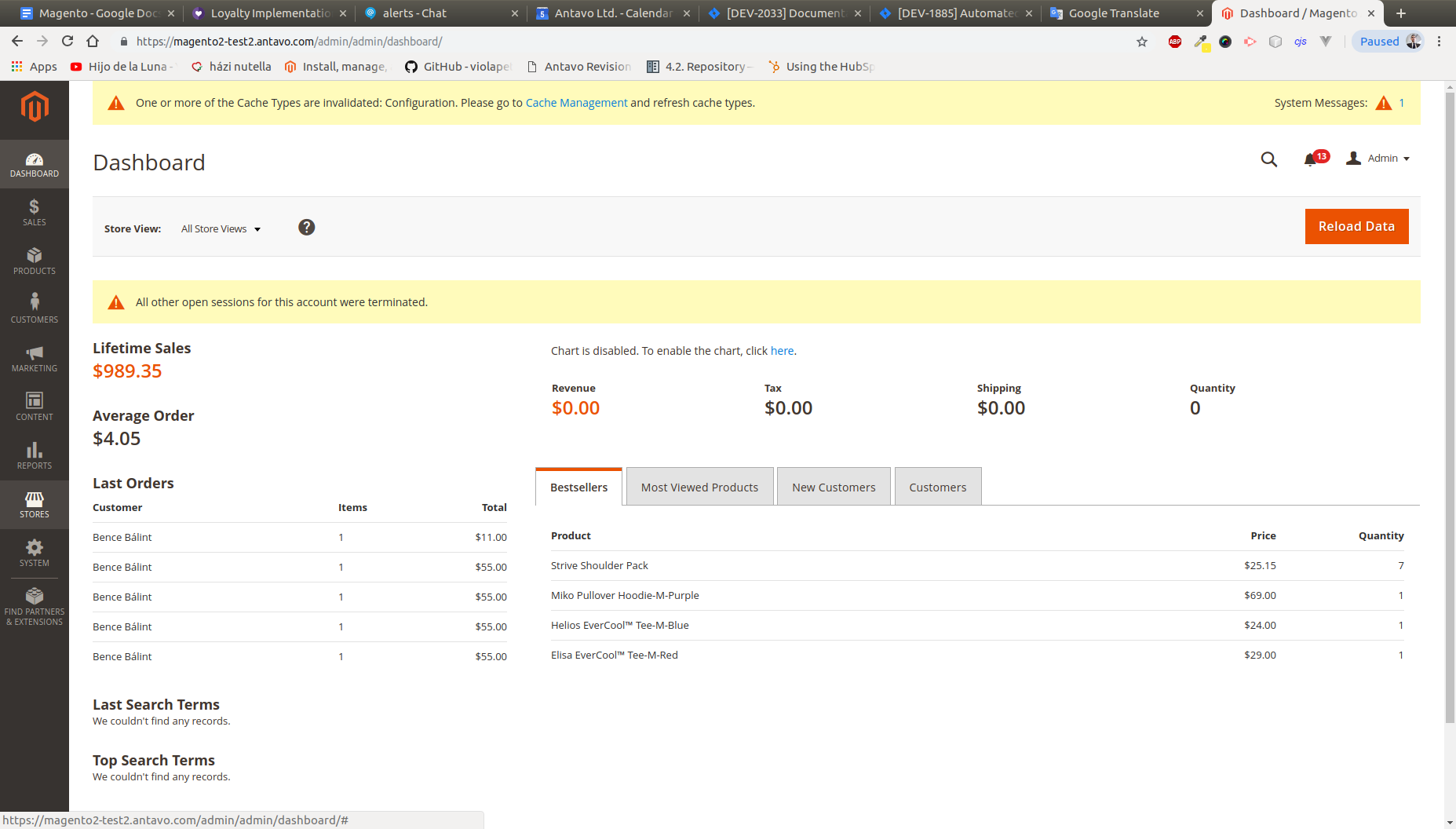
Stores > Configuration
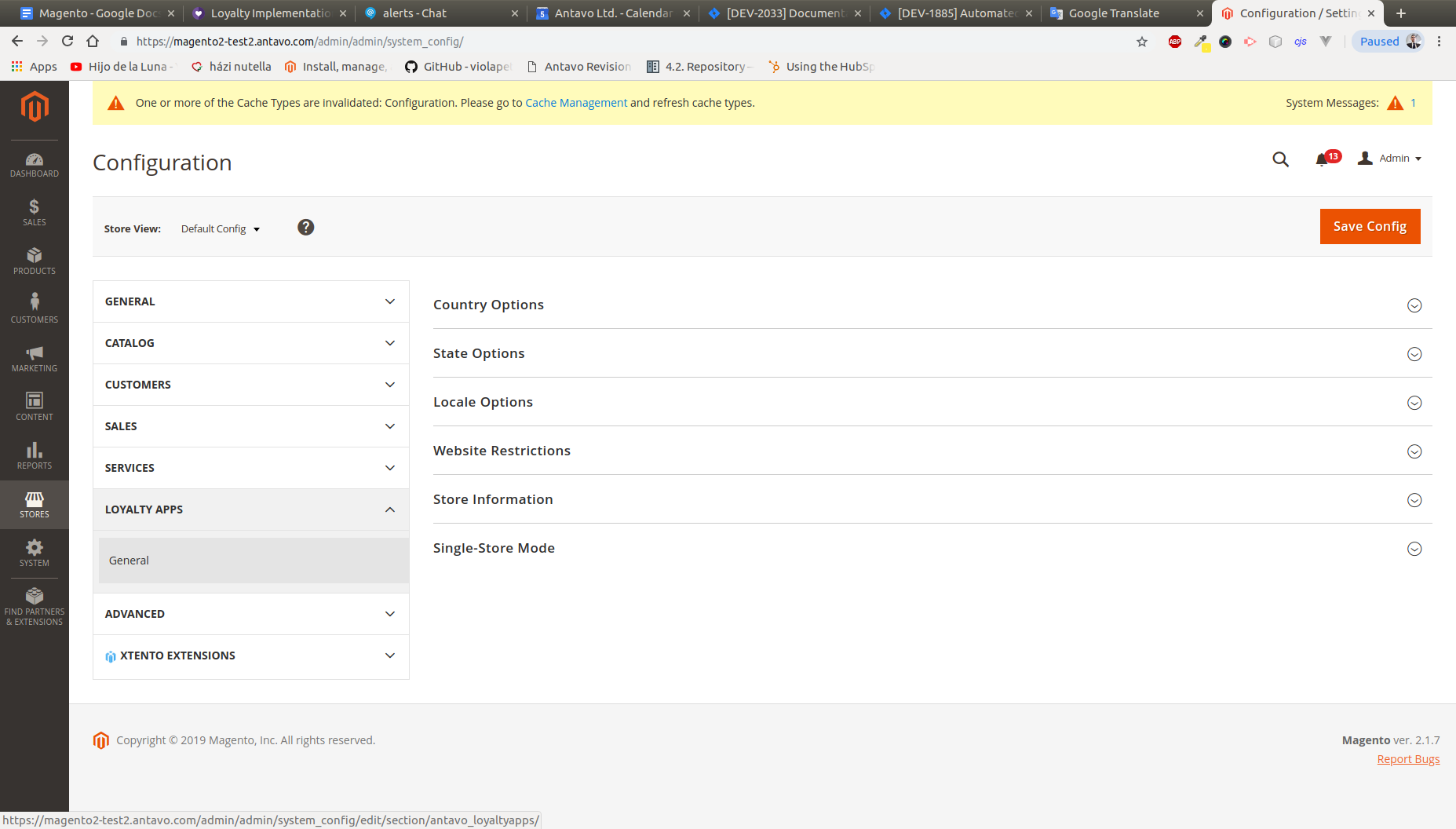
Stores > Configuration > LoyaltyApps
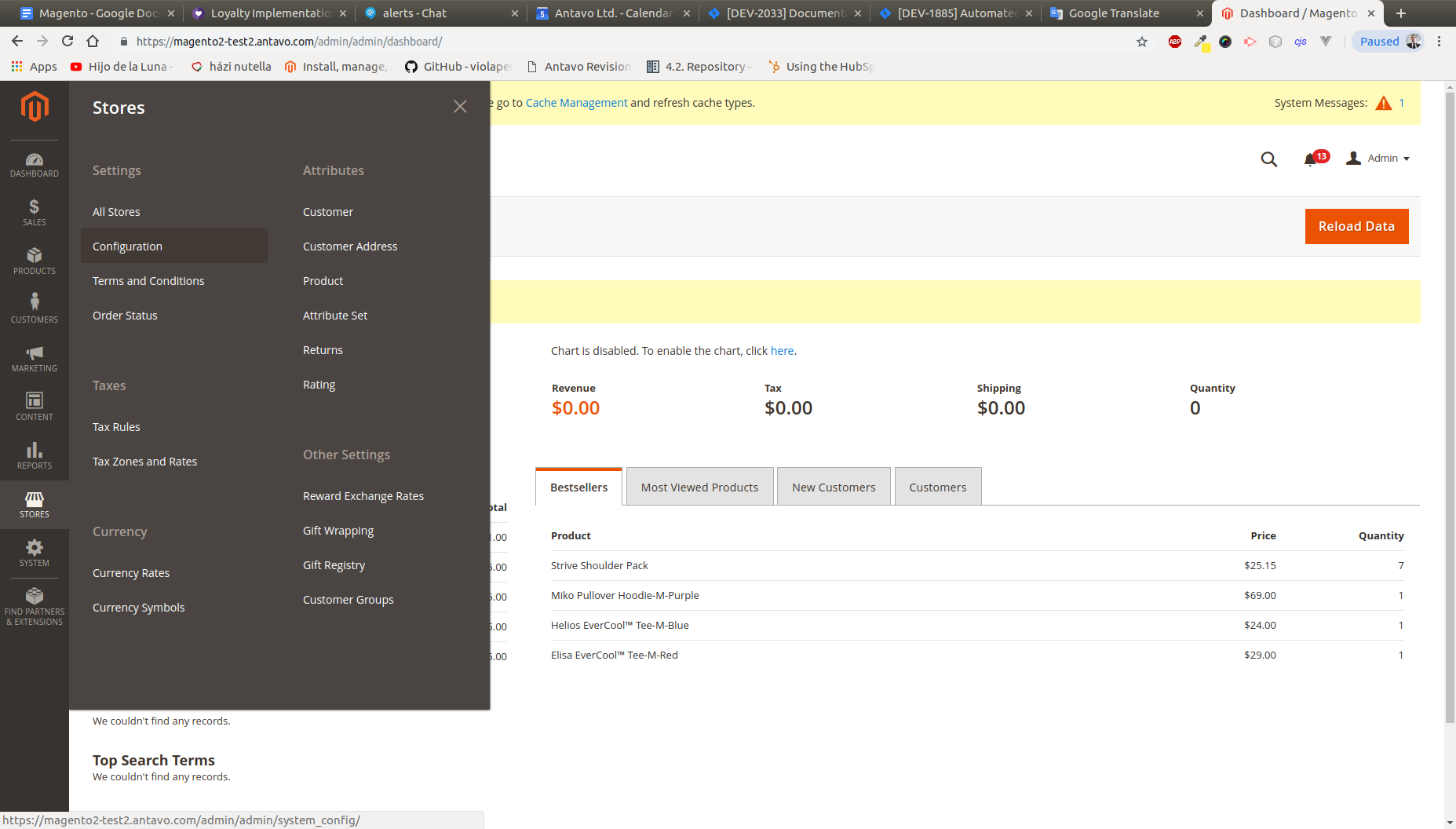
Stores > Configuration > LoyaltyApps > General
Updated almost 2 years ago