

Signing API requests in Postman
This guide describes how to set up Postman in order to send signed API requests to Antavo using the Escher authentication protocol. The necessary configuration involves the following:
- Environment settings: Set up the required variables in your Postman environment.
- Collection settings: Add the pre-request script for API signature generation to your Antavo Postman collection.
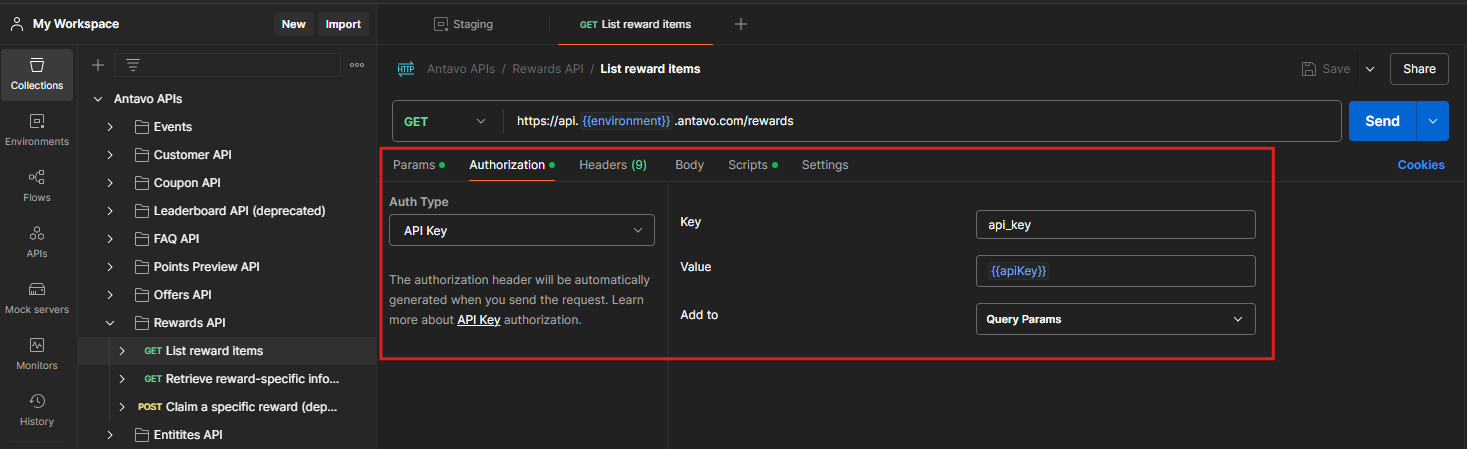
NoteAPI requests sent to non-production environments can also use API key authorization when the endpoint is not included in the Signature enforcement list in Antavo API settings. In these cases, set the request authorization type in Postman to API Key and add the API key to the request query parameters.
Customer API endpoints are an exception and always require a valid API signature.
Environment settings
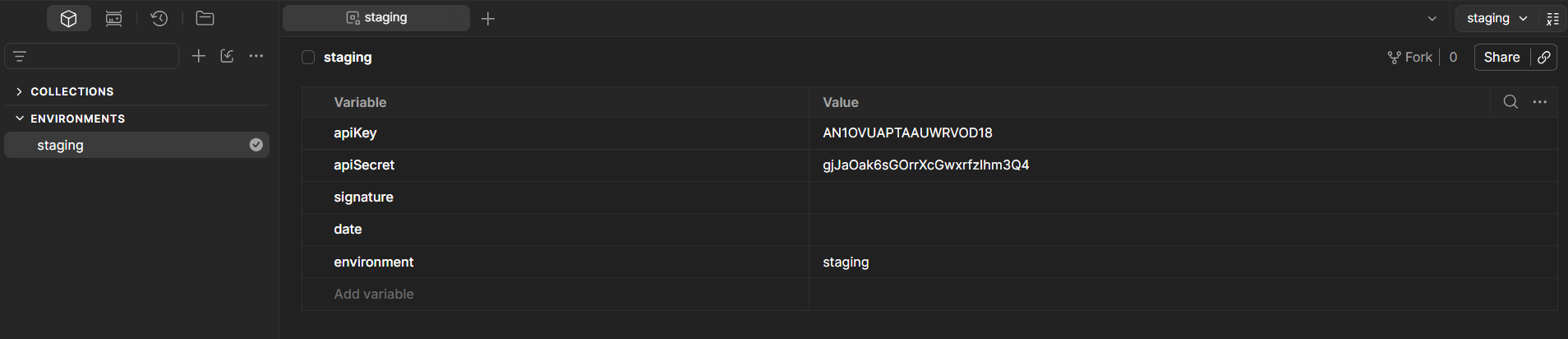
In your Postman workspace, set up your environment with the following variables, then enter the values for environment, apiKey , and apiSecret:
| Variable | Value |
|---|---|
environment | the environment of your Antavo workspace (e.g., staging) |
apiKey | the Antavo API Key for your Antavo workspace |
apiSecret | the Antavo API Secret for your Antavo workspace |
signature | |
date |
You do not need to set the signature or date variables manually. Their values are generated automatically by the pre-request script configured in the Collection settings.
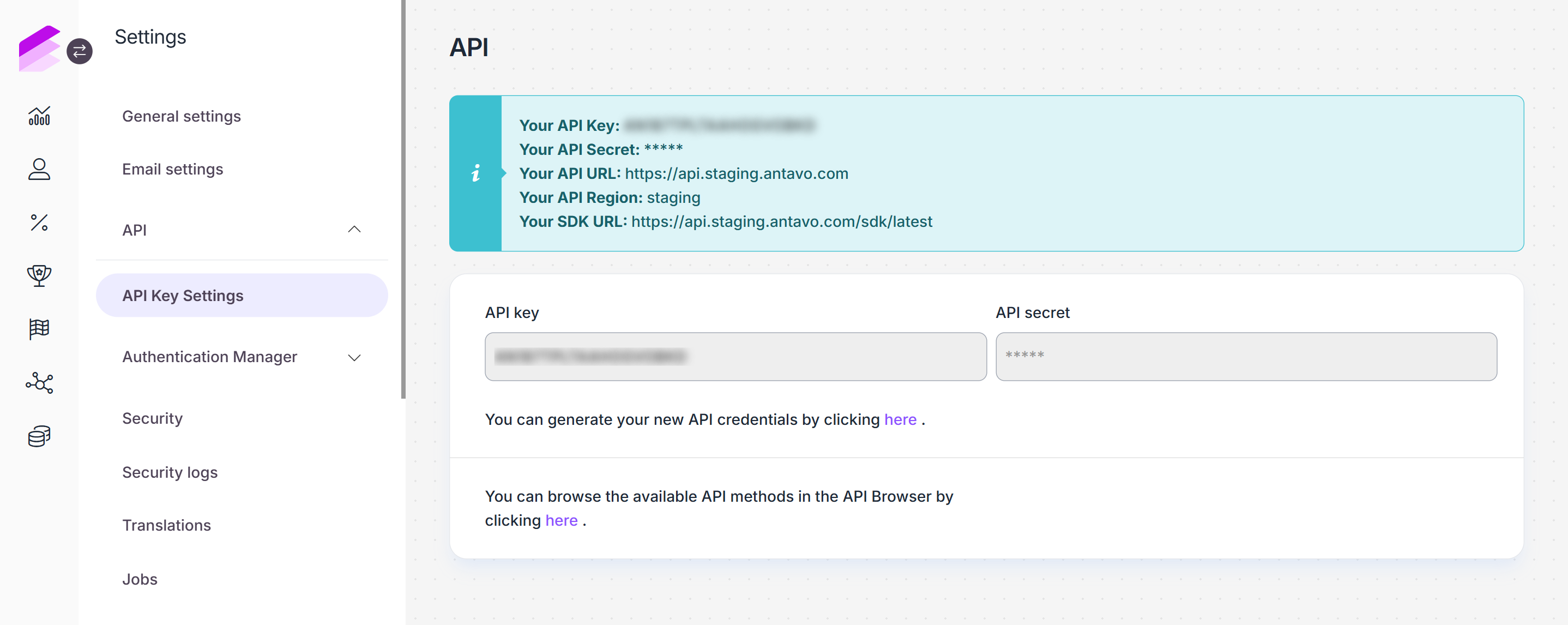
NoteYou can find the required values on the API settings page of the Antavo Management UI. Please note that the environment of the workspace is listed next to
Your API Region.
Collection settings
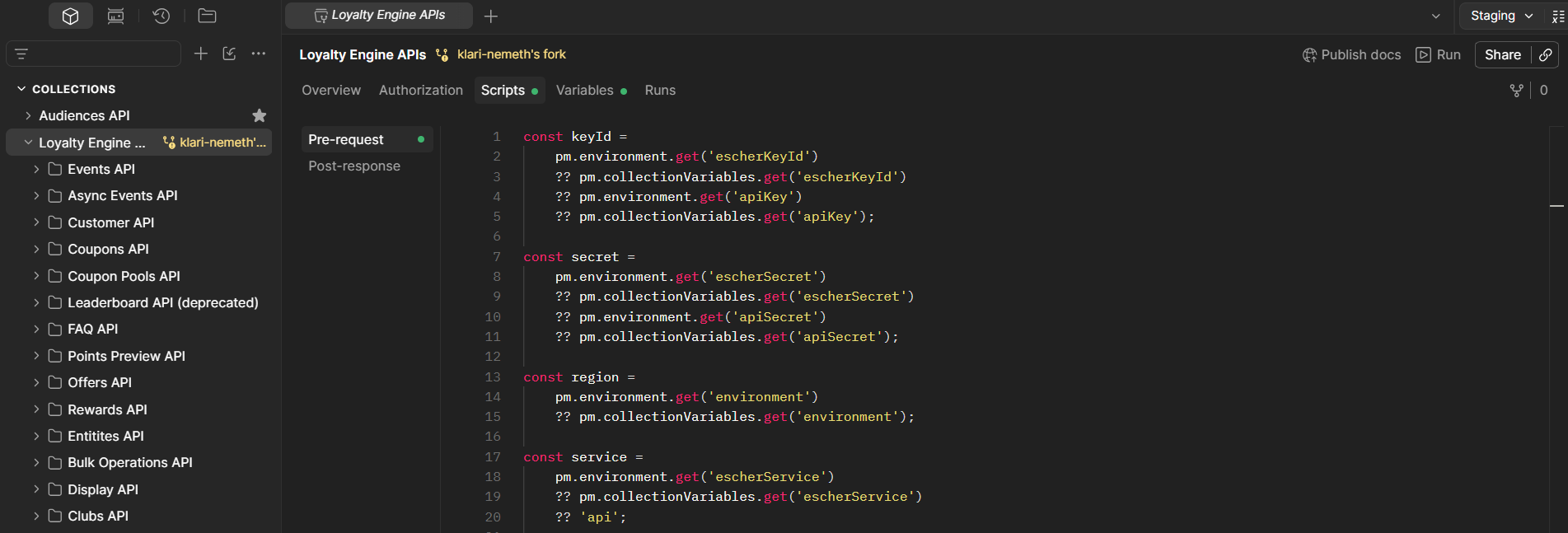
To ensure that the API request is signed before it is sent, a pre-request script responsible for the generation of the API signature must be executed before each request in the collection.
On the Scripts tab of the Antavo Postman collection, add the script in the Pre-request section.
The Antavo Postman collection already includes the required signing scripts.
NoteWhen signing requests using the Escher authentication protocol, the API authorization is handled by the request headers, which are generated by the pre-request script.
Before sending a request, make sure you have saved all configurations and that your collection is running in the environment that you have set up in the Environment settings section.
Updated 3 months ago